Running a Private LLM On-Premise: A Practical Guide to Hardware, RAG and Security
When a client tells me their data cannot go to the cloud but they still want an AI assistant, we run a private large language model on their own hardware. It is more approachable than most people expect - you do not need a data centre or a research team. This is the practical guide I wish more people had: what hardware you actually need, how to choose a model, how to make it answer from your own data with RAG, and the security you must not skip. It is written from doing it, not from theory.
Key Takeaways
- A private LLM runs on hardware you control, so prompts and data never leave your network - the foundation of on-premise, sovereign AI.
- Model size drives everything: most business tasks run well on a 3B-8B model, which fits on a single modern GPU.
- A GPU is strongly recommended for responsive use; CPU-only works only for light or batch workloads and is slow.
- RAG (retrieval-augmented generation) is how the model answers from your own documents and data without being retrained.
- Cost shifts from a per-use cloud bill to a mostly fixed hardware cost - easier to budget for a heavily used tool.
- Security is now your responsibility: access control, network isolation, data scoping, patching, and backups.
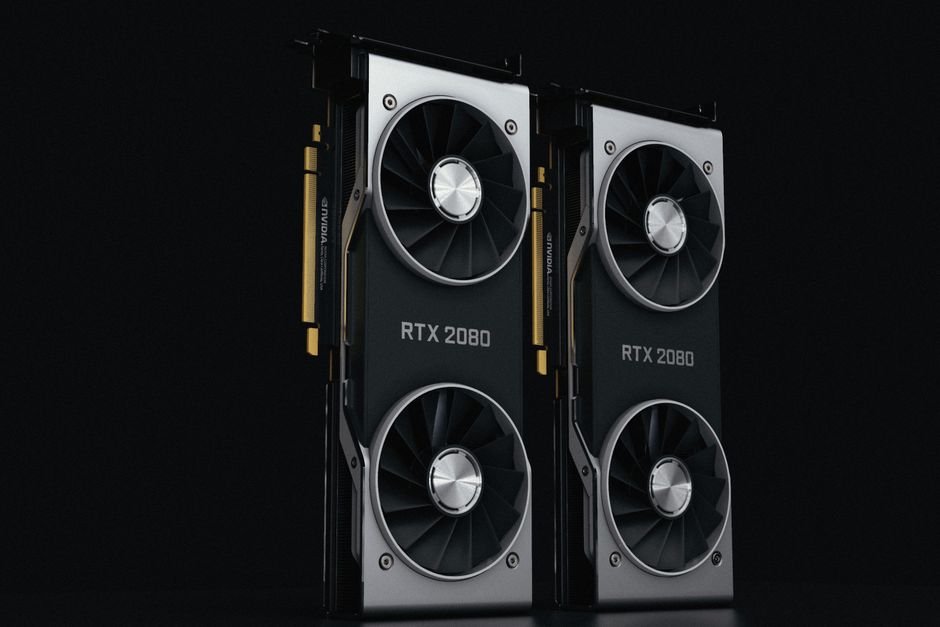
What running a private LLM actually involves
A private LLM is the same kind of technology behind the popular AI assistants, but hosted by you instead of called over the internet. It runs on a server you own or rent privately, inside a network you control. A question goes in, an answer comes out, and neither leaves your environment.
The mental model I give clients is simple: you are running a capable, general-purpose language engine locally, and then feeding it your own data at question time. The engine is the model; the data stays yours. Everything else is plumbing and discipline.
The hardware you actually need
This is where people overestimate the most. You do not need a rack of servers. The single biggest factor is the size of the model, measured in billions of parameters.
| Task | Model size | Hardware |
|---|---|---|
| Classify, summarise, draft, answer from docs | 3B - 8B | One modern GPU (~24GB) |
| Richer reasoning, larger context | 13B - 34B | One or two larger GPUs |
| Heaviest reasoning | 70B+ | Multiple GPUs / dedicated server |
My honest advice: start with the smallest model that does the job. It is cheaper, faster to respond, and easier to secure. I have watched teams buy far more capacity than they needed because they assumed bigger is always better. For most internal business tasks, it is not.
A word on CPU-only: it works for light or batch jobs, but responses are slow enough that people stop using the tool. If you want interactive use, budget for a GPU. I learned this first-hand testing local models on a CPU-only server - capable, but far too slow for anyone to enjoy using.
Choosing and running the model
There is a healthy ecosystem of open models you can run privately, and tooling that makes serving them straightforward. A local runtime lets you pull a model and expose it over an internal API in a few commands.
# Example: serve an open model locally with a lightweight runtime
ollama pull llama3.1:8b
ollama run llama3.1:8b

# It exposes a local API your applications call - nothing leaves the host
curl http://localhost:11434/api/generate \
  -d '{"model":"llama3.1:8b","prompt":"Summarise this policy: ..."}'
The point is that your applications talk to an endpoint inside your own network. No prompt, and no data in that prompt, travels to an external provider.

Quantization: how big models fit on affordable GPUs
The sizing table above only works because of quantization, so it deserves a plain-language explanation. Quantization stores the model's weights at lower precision - typically 4-bit instead of 16-bit - which shrinks memory use to roughly a quarter with a modest quality cost.
The rough arithmetic I use: a 4-bit model needs about half its parameter count in gigabytes, plus headroom for the context. So an 8B model wants around 5-6GB of GPU memory, a 13B around 8-10GB, and a 70B still demands 40GB-plus even quantized. That headroom matters - long documents in a RAG pipeline eat memory fast, and running out mid-answer is an ugly failure.
In practice I default to 4-bit for everyday assistants and step up to 8-bit when a client's task shows visible quality loss - usually on precise extraction or non-English text, where aggressive quantization bites hardest. Test with your own documents, in your own language, before deciding. Benchmark scores on English trivia tell you little about how a quantized model handles a Bangla invoice.
Making it answer from your own data: RAG
A base model knows general language, not your prices, your policies, or your patient records. The technique that bridges that gap is retrieval-augmented generation. In plain terms: when a question arrives, the system first finds the most relevant snippets from your own data, then hands those to the model along with the question, so the answer is grounded in your material.
The retrieval step uses a vector search over your documents. I often keep this inside the database itself - Oracle's in-database vector and AI features let me store embeddings and run similarity search right where the data already lives, which keeps the whole pipeline on-premise. I describe that pattern in building an AI assistant on your ERP data with Oracle 26ai, and the broader capability in Oracle Database 26ai.
The beauty of RAG is that you never retrain the model. You add or update documents, the retrieval layer picks them up, and answers stay current - all without touching the model itself.
The cost picture
On-premise flips the cost model. Cloud AI bills per token, so a successful, heavily-used tool gets more expensive every month. A private setup has a larger up-front hardware cost and then a small, steady running cost - electricity, maintenance, and someone to look after it.
For a tool used constantly, the fixed model usually wins within a year or two, and it makes budgeting predictable. For occasional, low-volume use, cloud may still be cheaper. That is exactly why I place workloads deliberately rather than forcing everything one way.
The security checklist I do not skip
Running AI in-house does not make it secure automatically - it makes security your responsibility, which is the point. On every deployment I cover these:
- Access control: only authorised users and systems can query the model, and every request is logged.
- Network isolation: the model server sits on an internal segment, never exposed to the open internet.
- Data scoping: decide exactly what the retrieval layer may read, and mask or exclude what the model should never see.
- Patching: the model server and its dependencies get patched like any other critical system, a discipline I carry over from database security hardening.
- Backups: back up the configuration and the document index so you can rebuild quickly.
What broke in my first deployment - and the routine that fixed it
My first on-premise deployment humbled me in three specific ways, and I share them because they are the same three that catch most teams.
First, concurrency. The model ran beautifully for one user and fell over when a second and third queried at the same time - GPU memory that was comfortable for a single session was not comfortable for three contexts at once. The fix was boring: cap concurrent requests at the serving layer and queue the rest, so the system degrades to slower instead of degrading to crashed.
Second, stale answers. We updated policy documents but the retrieval index still held the old versions, so the assistant confidently quoted a superseded policy. Now every document update triggers re-indexing, and the index rebuild is a scheduled, logged job - not something a person remembers to do.
Third, silent version drift. A well-meaning upgrade pulled a newer model build, and answers subtly changed tone and format overnight with no record of why. Today I pin the exact model version like any other production dependency, and a model change goes through the same change control as a database patch.
Out of those lessons came the maintenance routine I now run on every private LLM stack:
- Monthly: patch the host OS, GPU driver, and serving runtime in a maintenance window - tested on a staging box first, exactly as I would treat a database patch.
- On every document change: re-index automatically and log it, so retrieval never serves stale material.
- Quarterly: review whether a newer open model earns an upgrade - and if it does, run both models side by side on a fixed set of test questions before switching.
- Continuously: watch GPU memory, response times, and the request log; slow answers and near-full memory are the early warnings that matter.
When I tell clients not to self-host
Honesty requires this section. If usage is occasional and the data is genuinely non-sensitive, a cloud service is cheaper and simpler - do not build a server for ten queries a day of public material.
If there is nobody in the organisation who can own a Linux server long-term, self-hosting will decay into an unpatched liability, and I say so plainly. The machine needs an owner more than it needs specifications.
And if the task truly needs frontier-level reasoning on every request, a private mid-sized model will disappoint. Better to redesign the task, or accept the cloud trade-off knowingly for that one workload, than to blame the hardware afterwards.
Common mistakes I see
Buying the biggest model first. Most teams never need it; it just multiplies cost and complexity. Treating it as a one-off install. A private LLM is a living system that needs monitoring and the occasional upgrade. Forgetting the human. AI output still needs review for anything high-stakes - on-premise gives you control, not a licence to stop thinking.
The bottom line
Running a private LLM is well within reach for a normal enterprise that has someone competent to set it up and look after it. Start small, pick a model sized to the job, ground it in your own data with RAG, and treat security as part of the build rather than an afterthought. Do that and you get a genuinely useful AI assistant whose data never leaves your building.
Which use cases to start with
The fastest way to waste an on-premise AI project is to aim it at everything at once. I always start clients on one narrow, high-value use case and prove it before expanding.
Good first candidates share three traits: the work is repetitive, it touches data that cannot go to the cloud, and a good-enough answer is genuinely useful. Answering staff questions from internal policy documents fits perfectly. So does classifying or summarising incoming documents, or drafting routine correspondence from internal records.
I steer teams away from starting with anything that makes an irreversible decision on its own, or anything customer-facing where a wrong answer is public. Land a clear win on something useful and low-risk first. That builds trust, teaches the team how the system behaves, and gives you a working foundation - the model, the retrieval layer, the security - that the next use case reuses.
Once the foundation exists, each new use case is a fraction of the effort of the first. That compounding is the real payoff of running your own AI, and it is why a measured start beats a grand launch every time.
None of this requires you to become an AI researcher. It requires the same engineering discipline any production system needs - right-sizing, grounding in real data, securing the perimeter, and maintaining it over time. Bring that discipline and a private LLM stops being intimidating and becomes just another well-run system on your infrastructure, one that happens to be remarkably useful.

Frequently Asked Questions
Do I need a GPU to run a private LLM?
For responsive, interactive use, yes - a GPU is strongly recommended. Small models can run on CPU for light or batch workloads, but responses are slow enough that people stop using the tool. Match the hardware to how it will actually be used; for a real assistant, budget for a GPU.
How big a model do I need to run privately?
Most business tasks - classifying, summarising, drafting, answering from your documents - run well on a 3B to 8B model that fits on a single modern GPU. Reach for larger models only when a smaller one genuinely falls short. Starting small is cheaper, faster, and easier to secure.
What is RAG and why does it matter for a private LLM?
Retrieval-augmented generation lets the model answer using your own documents and data instead of only its general training. It finds the relevant material first, then answers from it - so you get accurate, source-based responses without retraining the model, and your data stays in your environment.
Is a private LLM as good as cloud AI like ChatGPT?
For most business tasks, a well-chosen private model is more than capable. The very largest cloud models still lead on the hardest reasoning, but that gap rarely matters for classification, summarising, or answering from your own documents, and it narrows every year. Privacy and cost control often outweigh the difference.
How do I keep an on-premise LLM secure?
Restrict access to authorised users and log every request; keep the model server on an isolated internal network; scope exactly what data the retrieval layer may read and mask what it should not see; patch the server and dependencies; and back up the configuration and document index. Security is your responsibility once the model is in-house.
🖥️ Want a Private AI Assistant on Your Own Servers?
I set up private, on-premise LLMs with RAG over your own data - sized right, secured properly, and kept entirely in-house. Bangladesh and worldwide clients.

References & Further Reading
- 📄 Oracle Database Administrator's Guide - data and security management
- 📄 EU GDPR - why keeping personal data in-house simplifies compliance
Views based on 18+ years of hands-on Oracle and on-premise AI work across regulated industries.