Oracle Multitenant: Managing CDBs and PDBs in Production
Oracle Multitenant changed how we run databases. With the non-CDB architecture desupported, every database you create today is a container database — and knowing how to administer CDBs and PDBs cleanly is no longer optional. After consolidating dozens of single-purpose databases into multitenant containers for pharma, ERP, and banking workloads over my 18+ years as a DBA, this is the field guide I give my own teams: the concepts that matter, the commands you'll actually type, and the mistakes that bite in production.
Key Takeaways
- Think of the CDB as an apartment building and each PDB as an apartment — shared infrastructure, private living space. The analogy predicts most multitenant behaviour correctly.
- Non-CDB architecture is desupported from Oracle 21c — every migration path now ends in a PDB, so learn this now, not during your next upgrade.
SAVE STATEis the classic gotcha: without it, PDBs come up MOUNTED after a CDB restart and your applications cannot connect.- Hot cloning and refreshable clones are the killer feature — a full, current copy of production for developers in one command.
- Since 19c you can run up to 3 user-created PDBs per CDB without paying for the Multitenant option — most shops never need more.
- Set per-PDB
CPU_COUNTand a CDB resource plan before consolidating, and know that RMAN can restore a single PDB without touching its neighbours.
1. The Core Idea: One Container, Many Databases
Before 12c, every Oracle database was a standalone instance with its own dictionary, background processes, and memory. Consolidating ten applications meant ten full databases — ten sets of overhead. Multitenant flips that:
- CDB (Container Database): the top-level container. It owns the shared redo, undo (in shared mode), background processes, and the Oracle-supplied data dictionary.
- PDB (Pluggable Database): a portable, self-contained database — your schemas, your data, your application — that plugs into a CDB and behaves like an independent database to the app.
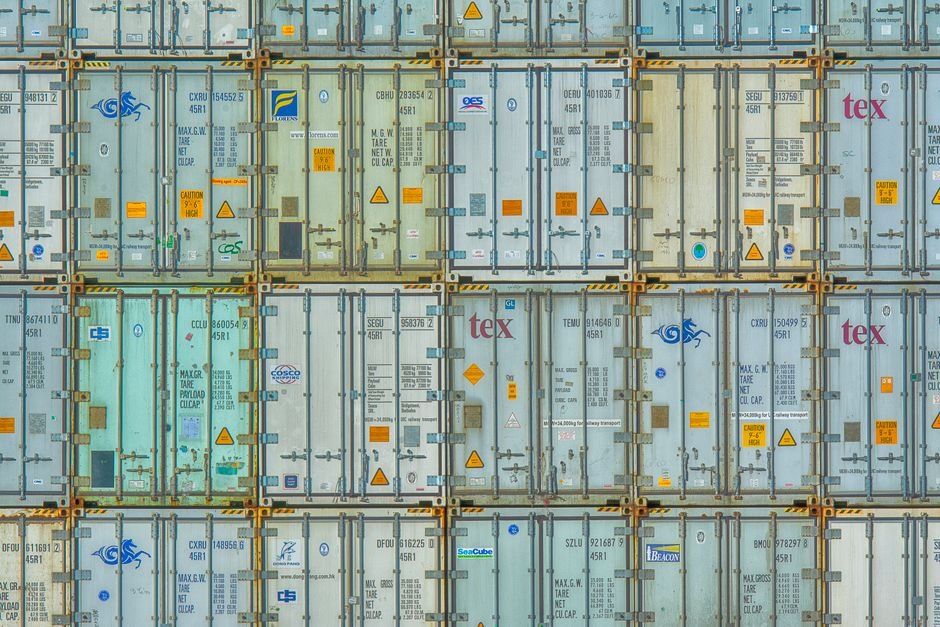
The mental model I give every junior DBA: the CDB is an apartment building, and each PDB is an apartment. The building owns the foundation, the electrical supply, the water lines, and the security desk — that's the shared memory, background processes, redo stream, and control files. Each apartment has its own furniture, its own front-door key, and its own tenants — your schemas, your data, your users.
The analogy earns its keep because it predicts behaviour. Tenants can renovate their own apartment without asking the neighbours (per-PDB parameters, local users). Nobody can walk into the flat next door (PDB isolation). And if you want to move, you pack the apartment and take it to a new building (unplug/plug). One set of memory and processes now serves many databases — lower overhead, faster provisioning, and simpler patching (patch the CDB once, every PDB benefits).

2. Why Non-CDB Is Dead (and Why You Can't Wait)
The non-CDB architecture — the classic standalone database we all grew up on — is desupported from Oracle Database 21c onward. It was deprecated back in 12.1, and from 21c you physically cannot create a non-CDB. Every upgrade from 19c to 23ai or 26ai therefore includes a conversion to a PDB. There is no path around it.
I still meet teams in 2026 running 11g and 12c non-CDBs who plan to "deal with multitenant later". Later has arrived. Whatever upgrade you are planning — and I've written about the road in my 19c to 26ai upgrade guide — the destination is a PDB inside a CDB. The good news: the conversion is well-trodden, the tooling (AutoUpgrade) does most of the work, and the day-to-day administration is genuinely nicer once you're there.
3. Anatomy of a CDB
Inside every CDB live a few special containers:
- CDB$ROOT — container 1. Holds Oracle metadata and common users. You don't put application data here.
- PDB$SEED — container 2. A read-only template Oracle uses to stamp out new PDBs quickly.
- Your PDBs — containers 3, 4, 5… each an application database.
Check where you are and what exists:
SHOW CON_NAME
SHOW CON_ID

SELECT con_id, name, open_mode FROM v$containers ORDER BY con_id;
SELECT pdb_id, pdb_name, status FROM cdb_pdbs ORDER BY pdb_id;
4. Moving Between Containers
The single most important habit: always know which container your session is in. Switching is instant:
-- connect to the root
ALTER SESSION SET CONTAINER = CDB$ROOT;

-- switch into an application PDB
ALTER SESSION SET CONTAINER = SALES_PDB;

-- or connect directly via a service / TNS entry that points at the PDB
sqlplus app_user@SALES_PDB
Each PDB registers its own service with the listener, so applications connect straight to their PDB without ever touching the root.
5. Everyday PDB Operations: Create, Open, Close
The fastest way to create a PDB is from the seed:
CREATE PLUGGABLE DATABASE sales_pdb
  ADMIN USER pdbadmin IDENTIFIED BY "StrongPass#2026"
  FILE_NAME_CONVERT = ('/u02/oradata/CDB1/pdbseed/',
                       '/u02/oradata/CDB1/sales_pdb/');

ALTER PLUGGABLE DATABASE sales_pdb OPEN;
On Oracle Managed Files (OMF) you can skip FILE_NAME_CONVERT entirely — Oracle places the files for you. Provisioning a new application database is now a thirty-second job, which is why I stopped scripting full DBCA builds for anything except new CDBs years ago.
PDBs have open modes just like a database has states, and knowing them cold saves you during incidents:
-- normal read/write operation
ALTER PLUGGABLE DATABASE sales_pdb OPEN;

-- read-only (reporting, or as a clone source in older releases)
ALTER PLUGGABLE DATABASE sales_pdb OPEN READ ONLY;

-- restricted (maintenance — only RESTRICTED SESSION users get in)
ALTER PLUGGABLE DATABASE sales_pdb OPEN RESTRICTED;

-- close cleanly / immediately
ALTER PLUGGABLE DATABASE sales_pdb CLOSE;
ALTER PLUGGABLE DATABASE sales_pdb CLOSE IMMEDIATE;
A dropped PDB is gone along with its datafiles if you say INCLUDING DATAFILES — so, as with everything destructive, type the PDB name twice and read it once more before pressing Enter.
6. Cloning PDBs — the DBA's Superpower
Need a test copy of production? Clone it. This is where Multitenant earns its keep:
-- hot clone (source stays open) — great for refreshing test from prod
CREATE PLUGGABLE DATABASE sales_test FROM sales_pdb;

-- remote clone over a database link
CREATE PLUGGABLE DATABASE sales_test FROM sales_pdb@prod_link;

ALTER PLUGGABLE DATABASE sales_test OPEN;
On storage that supports snapshot/thin clones, add SNAPSHOT COPY and the clone is near-instant and space-efficient — you can hand developers a full copy of production data in seconds instead of hours.
The feature I use most in real projects is the refreshable clone. It is a clone that stays connected to its source and can be topped up with fresh changes on demand or on a schedule. Here is the pattern I run for a pharma client's UAT environment:
-- one-time setup: refreshable clone from production over a DB link
CREATE PLUGGABLE DATABASE sales_uat FROM sales_pdb@prod_link
  REFRESH MODE MANUAL;

-- every Sunday night: close, pull the latest changes, reopen read-only
ALTER PLUGGABLE DATABASE sales_uat CLOSE IMMEDIATE;
ALTER PLUGGABLE DATABASE sales_uat REFRESH;
ALTER PLUGGABLE DATABASE sales_uat OPEN READ ONLY;

-- or let Oracle refresh it automatically every 240 minutes
ALTER PLUGGABLE DATABASE sales_uat REFRESH MODE EVERY 240 MINUTES;
Only the incremental changes travel over the link, so a weekly refresh of a multi-terabyte PDB takes minutes, not the overnight Data Pump marathon we all remember. When testers need to write to it, you break the refresh link and open it read/write — and recreate it after the test cycle. Before Multitenant, keeping UAT current meant a full RMAN duplicate every weekend. Now it is three lines in a scheduler job.
7. Unplug and Plug: True Portability
A PDB can be unplugged from one CDB and plugged into another — even on a newer Oracle version, which makes it a clean upgrade and migration tool.
-- unplug to a manifest XML
ALTER PLUGGABLE DATABASE sales_pdb CLOSE IMMEDIATE;
ALTER PLUGGABLE DATABASE sales_pdb UNPLUG INTO '/tmp/sales_pdb.xml';
DROP PLUGGABLE DATABASE sales_pdb KEEP DATAFILES;

-- plug into the target CDB
CREATE PLUGGABLE DATABASE sales_pdb USING '/tmp/sales_pdb.xml' NOCOPY;
ALTER PLUGGABLE DATABASE sales_pdb OPEN;
Always run the compatibility check before opening on a new CDB by querying PDB_PLUG_IN_VIOLATIONS — it tells you about version, option, or parameter mismatches before they bite.
8. Why Didn't My PDB Auto-Open After Restart?
Because by default a CDB restart leaves every PDB in MOUNTED state, not OPEN. Oracle only reopens PDBs whose state you explicitly saved with ALTER PLUGGABLE DATABASE ... SAVE STATE. No saved state means the CDB starts, the listener registers nothing for the PDB, and every application connection fails with ORA-01109 or a service error.
I have taken this exact 2 a.m. phone call: server patched, CDB restarted cleanly, monitoring green at the instance level — and the ERP down because its PDB sat quietly mounted. The fix takes ten seconds; remembering to do it at creation time is the discipline.
ALTER PLUGGABLE DATABASE sales_pdb OPEN;
-- make it auto-open on every CDB startup
ALTER PLUGGABLE DATABASE sales_pdb SAVE STATE;

-- verify what Oracle will do at next restart
SELECT con_name, state FROM dba_pdb_saved_states;

-- open / close all at once
ALTER PLUGGABLE DATABASE ALL OPEN;
ALTER PLUGGABLE DATABASE ALL EXCEPT sales_pdb CLOSE IMMEDIATE;
My rule for production: the same change ticket that opens a new PDB for business must include the SAVE STATE line and the query against DBA_PDB_SAVED_STATES as evidence. It has not bitten me twice.
9. Multitenant on RAC
In a RAC environment you manage PDB open state per instance through services. Create a service bound to the PDB and let Clusterware manage where it runs:
srvctl add service -db CDB1 -service sales_oltp -pdb sales_pdb \
       -preferred CDB11 -available CDB12
srvctl start service -db CDB1 -service sales_oltp
srvctl status service -db CDB1
Applications connect to the sales_oltp service, never to an instance directly — that's what gives you transparent failover across nodes.
10. Resource Management Between PDBs
Consolidation means PDBs share CPU and I/O. Without guardrails, one noisy PDB starves the others — the database equivalent of the neighbour who runs the washing machine at 3 a.m. Two mechanisms keep the building civilised.
The simplest and most effective, in my experience, is the per-PDB CPU_COUNT lockdown. From 12.2 onward, CPU_COUNT set inside a PDB caps how many CPUs that PDB's sessions can use:
ALTER SESSION SET CONTAINER = sales_pdb;
ALTER SYSTEM SET cpu_count = 4 SCOPE = BOTH;

-- check every PDB's cap from the root
SELECT con_id, name, value
FROM   v$system_parameter
WHERE  name = 'cpu_count';
For finer control, a CDB resource plan distributes CPU by shares — relative weights, exactly like apartment owners holding different percentages of the building:
BEGIN
  DBMS_RESOURCE_MANAGER.CREATE_CDB_PLAN(plan => 'cdb_prod_plan');
  DBMS_RESOURCE_MANAGER.CREATE_CDB_PLAN_DIRECTIVE(
    plan => 'cdb_prod_plan', pluggable_database => 'sales_pdb',
    shares => 3, utilization_limit => 70);
  DBMS_RESOURCE_MANAGER.CREATE_CDB_PLAN_DIRECTIVE(
    plan => 'cdb_prod_plan', pluggable_database => 'hr_pdb',
    shares => 1, utilization_limit => 30);
END;
/
ALTER SYSTEM SET resource_manager_plan = 'cdb_prod_plan';- Shares — relative CPU weighting between PDBs (3:1 above means sales gets three times HR's CPU under contention).
- Utilization limit — a hard CPU ceiling per PDB, even when the machine is idle.
- Memory & storage — per-PDB
SGA_TARGET,PGA_AGGREGATE_LIMIT, andMAX_PDB_STORAGEcaps stop one tenant filling the whole disk.
Set a sensible CDB plan early. Retrofitting resource limits after a runaway PDB has already caused an incident is a much harder conversation.
11. Backup and Recovery in Multitenant
RMAN is fully container-aware. You back up the whole CDB (which covers every PDB plus the root), or individual PDBs, and — this is the part that matters at 2 a.m. — you can restore and recover a single PDB while every other PDB in the container keeps serving users:
RMAN> BACKUP DATABASE PLUS ARCHIVELOG;        -- whole CDB, my default

RMAN> BACKUP PLUGGABLE DATABASE sales_pdb;

-- disaster in ONE pdb: restore it alone, others stay open
RMAN> ALTER PLUGGABLE DATABASE sales_pdb CLOSE IMMEDIATE;
RMAN> RESTORE PLUGGABLE DATABASE sales_pdb;
RMAN> RECOVER PLUGGABLE DATABASE sales_pdb;
RMAN> ALTER PLUGGABLE DATABASE sales_pdb OPEN;
Point-in-time recovery also works at PDB granularity (RECOVER PLUGGABLE DATABASE ... UNTIL TIME), using an auxiliary instance behind the scenes. For the full RMAN discipline — catalogs, retention, restore drills — see my RMAN backup and recovery guide; for rewinding logical mistakes without a restore at all, Flashback works per-PDB too from 19c onward.
Remember the dictionary split: CDB_* views show objects across all containers (with a CON_ID column), while DBA_* views show only the current container. When a query "returns nothing," nine times out of ten you're simply in the wrong container.
12. Migrating Non-CDBs into a CDB
Every legacy non-CDB has to make this trip eventually. These are the paths, in the order I recommend them:
- AutoUpgrade with conversion (my default). One tool upgrades the non-CDB and converts it into a PDB in the target CDB in a single orchestrated run — config file,
java -jar autoupgrade.jar -mode deploy, done. It handles the plug-in,noncdb_to_pdb.sql, and the violation checks for you. - Manual plug-in as a PDB. Describe the non-CDB with
DBMS_PDB.DESCRIBEto generate the manifest XML, create the PDBUSINGthat manifest, then run$ORACLE_HOME/rdbms/admin/noncdb_to_pdb.sqlinside it. More steps, more control — useful when the source is already on the target version. - Remote clone of the non-CDB. From 12.2,
CREATE PLUGGABLE DATABASE ... FROM noncdb@dblinkpulls a running non-CDB straight into a CDB over a database link — minimal touch on the source host. - Data Pump into a fresh PDB. The old reliable. Slowest for big databases, but it also de-fragments, drops dead weight, and works across any version gap or endianness change.
Whichever path you take, check PDB_PLUG_IN_VIOLATIONS before declaring victory, and take a full backup on both sides. Migrations that skip the violation check are the ones that page you a week later.

13. Security and Isolation: Common Users and Lockdown Profiles
Multitenant security has one new idea to internalise: the split between common users and local users. A common user (name prefixed C##) is created in the root and exists in every PDB — the building superintendent with a master key. A local user exists in exactly one PDB — a tenant with one apartment key.
-- in CDB$ROOT: a common DBA account across all containers
CREATE USER c##dba_khan IDENTIFIED BY "..." CONTAINER = ALL;
GRANT DBA TO c##dba_khan CONTAINER = ALL;

-- in a PDB: a local application user
ALTER SESSION SET CONTAINER = sales_pdb;
CREATE USER sales_app IDENTIFIED BY "...";
Keep common users to an absolute minimum — DBAs and monitoring only. Application accounts are always local. For hosted or multi-team CDBs, lockdown profiles go further: they let you disable specific features, options, and ALTER SYSTEM clauses inside a PDB, so a tenant admin cannot change instance-level settings or reach the OS. Combined with per-PDB MAX_PDB_STORAGE and resource plans, a well-run CDB gives isolation that is honestly stronger than the old "one schema per app in one big database" pattern ever was — a topic I cover more broadly in my database security hardening guide.
14. What Does Multitenant Cost? The Honest Licensing Answer
Less than most people fear. Since Oracle 19c, you may run up to 3 user-created PDBs per CDB without licensing the Multitenant option — on both Enterprise and Standard Edition. The paid option is only required when a single CDB holds four or more user-created PDBs.
In practice, that free allowance covers a huge share of real estates: production, plus a reporting copy, plus one more, all in one container. Need more? Nothing stops you running several CDBs with three PDBs each. I design most mid-size consolidations exactly that way, and nobody has ever missed the fourth PDB. Verify the current terms in the Oracle Database Licensing Information guide before you commit — but do not let a licensing myth keep you on architecture that is already desupported.
15. War Story: Nine Legacy Databases, One CDB
A manufacturing client of mine ran nine separate single-purpose databases on ageing hardware — ERP, HR, quality, a reporting copy, and five small departmental systems. Nine sets of SGA, nine backup jobs, nine quarterly patch windows. The servers were end-of-life and the patching backlog was becoming an audit finding.
We consolidated onto three CDBs on two new servers — three PDBs each, deliberately staying inside the free allowance. The heavy ERP got its own CDB with a resource plan; the small systems shared another. Each legacy database travelled by remote clone or AutoUpgrade over a weekend apiece, with PDB_PLUG_IN_VIOLATIONS checked and a fallback backup staged before every cutover.
The result, a year on: patching went from nine windows to three, RMAN jobs from nine to three, and provisioning a fresh test copy of ERP went from a two-day request to a ten-minute clone. The only incident in twelve months? A departmental PDB that nobody SAVE STATE'd after a plug-in — which is exactly why that check is now printed in the runbook in bold.

16. Common Pitfalls
- Forgetting SAVE STATE — PDBs stay mounted after restart and apps fail to connect.
- Creating objects in CDB$ROOT — application objects belong in a PDB, never the root.
- Local vs common users — common users (prefixed
C##) live across all PDBs; local users exist in one PDB. Mixing them up causes privilege confusion. - Ignoring plug-in violations — always check
PDB_PLUG_IN_VIOLATIONSafter a plug or upgrade. - No resource plan — one PDB monopolises CPU and the whole container suffers.
17. Production Best Practices
- One application per PDB — clean isolation, easy clone/refresh, simple chargeback.
- Use OMF — let Oracle manage file placement; fewer path mistakes.
- Standardise naming — PDB names, services, and TNS entries with a clear convention.
- Always SAVE STATE after opening a production PDB.
- Set a CDB resource plan before you consolidate, not after.
- Patch at the CDB level and use
datapatchto apply SQL changes to all PDBs in one pass. - Hot-clone for non-prod — give developers real data quickly and safely.
Frequently Asked Questions
What is the difference between a CDB and a PDB?
A CDB (container database) is the top-level Oracle instance: shared memory, background processes, redo, and the Oracle-supplied dictionary. A PDB (pluggable database) is a self-contained, portable set of schemas and data plugged into that CDB. To the application, a PDB looks and behaves like a complete independent database.
How many PDBs can I run without paying for Multitenant?
Since Oracle 19c, up to 3 user-created PDBs per CDB are allowed without licensing the Multitenant option, on both Enterprise and Standard Edition. The paid option only becomes necessary from the fourth user-created PDB in a single CDB. Running several CDBs with three PDBs each is a legitimate design.
Can PDBs in the same CDB have different character sets or time zones?
Different database time zones, yes — each PDB can set its own. Character sets are more restricted: with the CDB root on AL32UTF8 (the recommended and default choice), PDBs with differing compatible character sets can plug in, but you should treat AL32UTF8 everywhere as the standard and test any exception carefully.
Does my application need code changes to run in a PDB?
Almost never. The application connects to the PDB's service through the listener exactly as it connected to a standalone database — same drivers, same SQL, same schemas. What changes is the connection descriptor (a service name pointing at the PDB) and the DBA's administration habits, not application code.
How do I make PDBs open automatically after a CDB restart?
Open the PDB, then run ALTER PLUGGABLE DATABASE pdb_name SAVE STATE. Oracle records the open state and reproduces it at every CDB startup. Verify with a query on DBA_PDB_SAVED_STATES. Without this, PDBs come up MOUNTED after a restart and applications cannot connect.
Can I restore one PDB without affecting the others?
Yes. RMAN is container-aware: RESTORE PLUGGABLE DATABASE and RECOVER PLUGGABLE DATABASE operate on a single PDB while the rest of the CDB stays open and serving users. Point-in-time recovery is also supported at the individual PDB level.
Is the non-CDB architecture really gone?
Yes. Non-CDB was deprecated in 12.1 and is desupported from 21c — you cannot create one on modern releases. Any upgrade from 19c onward lands your database in a PDB inside a CDB, so multitenant administration is now core DBA knowledge, not a specialisation.
The Bottom Line
Multitenant is not "the same database with extra syntax" — it's a consolidation platform. Treated well, it slashes overhead, makes provisioning a one-line command, and turns upgrades into an unplug-and-plug exercise. Treated carelessly, it concentrates many applications onto one shared engine where a single misconfiguration affects everyone.
The DBAs who thrive with Multitenant are the ones who respect the container boundary, plan resources up front, and always know which container their session is in. If you are still building those foundations, my Oracle DBA career and fundamentals guide is the place to start; the container skills stack neatly on top.
If your team is consolidating onto Multitenant, migrating non-CDBs, or sizing a CDB for several workloads, let's talk. I've architected and operated multitenant consolidations across pharma, ERP, and banking environments and can help you do it without the usual surprises.
🔗 Planning a Multitenant Consolidation?
CDB/PDB design, non-CDB migration, resource planning, and RAC integration. Free 30-minute consultation.

References & Further Reading
- 📄 Oracle Multitenant Administrator's Guide (19c)
- 📄 Creating and Removing PDBs with SQL*Plus
- 📄 Oracle Maximum Availability Architecture
This guide is based on hands-on Oracle Multitenant consolidation experience and Oracle's official documentation.