Reading Oracle AWR & ASH Reports: Wait-Event Troubleshooting
"The database is slow." Every DBA hears it, and the panic answer — start changing parameters — usually makes things worse. The disciplined answer is to let the database tell you what it's waiting on. Oracle's AWR and ASH reports do exactly that. After 18+ years of production firefighting across banking, pharma, and ERP systems, I've learned that almost every performance problem becomes obvious once you read these reports in the right order. Here is that order.
Key Takeaways
- DB Time is the currency of tuning — every AWR analysis starts by asking how much of it there was and where it went.
- Pick a tight snapshot window. A report that covers six hours averages a thirty-minute incident into invisibility — the single most common beginner mistake.
- Read in a fixed order: load profile first, then top wait events, then SQL ordered by elapsed time. Never start at the wait events.
- AWR, ASH, and ADDM need the Diagnostics Pack (Enterprise Edition option). Statspack is the free fallback — weaker, but honest.
- ASH is the fire-drill tool — second-by-second session samples that answer "what happened in the last five minutes" when AWR's hourly average hides it.
- Distrust the famous numbers. High CPU% is often healthy, and the buffer cache hit ratio is nearly useless as a tuning target.

1. AWR vs ASH — Pick the Right Lens
- AWR aggregates activity between two snapshots (usually hourly). Use it for "the system was slow this afternoon" — trends and overall load.
- ASH samples every active session once per second. Use it for "it froze for 90 seconds at 2:14 pm" — short, sharp spikes an hourly average would smooth away.
Rule of thumb: AWR for the hour, ASH for the moment. Both draw from the same instrumentation; they differ in resolution. AWR is the aggregated ledger, ASH is the security-camera footage. I use both on almost every serious incident, and this whole discipline sits inside the wider method I describe in my Oracle performance tuning guide.
2. Do You Need a License for AWR and ASH?
Yes. AWR, ASH, and ADDM all require the Oracle Diagnostics Pack, a separately licensed option available only on Enterprise Edition. Running awrrpt.sql on a database that is not licensed for the pack is a real audit finding — the report works technically, but you are not entitled to it.
Check what the instance believes it is licensed for:
SHOW PARAMETER control_management_pack_access;
-- DIAGNOSTIC+TUNING : Diagnostics + Tuning packs
-- DIAGNOSTIC        : AWR / ASH / ADDM only
-- NONE              : neither — do not run AWR reports
If you are on Standard Edition, or Enterprise Edition without the pack, the honest fallback is Statspack — the older, free ancestor of AWR. It captures similar aggregate statistics into the PERFSTAT schema, but there is no ASH equivalent, no ADDM, and no historical session sampling. Weaker tooling, zero licence risk.
-- Statspack: free on every edition
@?/rdbms/admin/spcreate.sql     -- one-time install
EXEC statspack.snap;            -- take a snapshot (schedule it)
@?/rdbms/admin/spreport.sql     -- report between two snapshots
My position after 18+ years: if the database matters to the business, the Diagnostics Pack pays for itself in the first serious incident. But never pretend a client has it when they do not — I have seen that conversation with Oracle LMS, and it is not pleasant.
3. Generating the Reports Properly
The mechanics are two scripts that ship with every Oracle home:
-- AWR (pick begin/end snapshot IDs when prompted)
@?/rdbms/admin/awrrpt.sql

-- ASH for a specific window
@?/rdbms/admin/ashrpt.sql

-- list recent snapshots so you can pick the right pair
SELECT snap_id, begin_interval_time
FROM   dba_hist_snapshot
ORDER  BY snap_id DESC FETCH FIRST 12 ROWS ONLY;
On RAC, remember that awrrpt.sql reports one instance. Use awrrpti.sql to pick a specific instance and awrgrpt.sql for the cluster-wide global report — on a two-node cluster I usually pull the global report first, then drill into whichever instance carried the pain.
The #1 beginner mistake: the wrong snapshot window
More AWR analyses die here than anywhere else. If users screamed from 10:15 to 10:45 and you generate a report from 08:00 to 14:00, the incident is diluted six-to-one and every average looks fine. You will conclude "the database was OK" while the business knows it was not.
Pick the tightest snapshot pair that brackets the problem — one hour that covers the pain beats a six-hour report every time. And never span a database restart: AWR deltas across a bounce are meaningless, and the report itself warns you in small print most people skip.
Two settings worth owning rather than inheriting:
-- Snapshot every 30 min, keep 30 days (minutes)
EXEC DBMS_WORKLOAD_REPOSITORY.MODIFY_SNAPSHOT_SETTINGS(
       interval => 30, retention => 43200);

-- Take a manual snapshot right now (before/after a load test)
EXEC DBMS_WORKLOAD_REPOSITORY.CREATE_SNAPSHOT;
The defaults — hourly snapshots, eight days of retention — are fine until the month-end problem happens on the 31st and the last month-end's evidence expired on the 8th. Thirty days of retention has saved me more than once.
4. The Reading Order I Actually Use
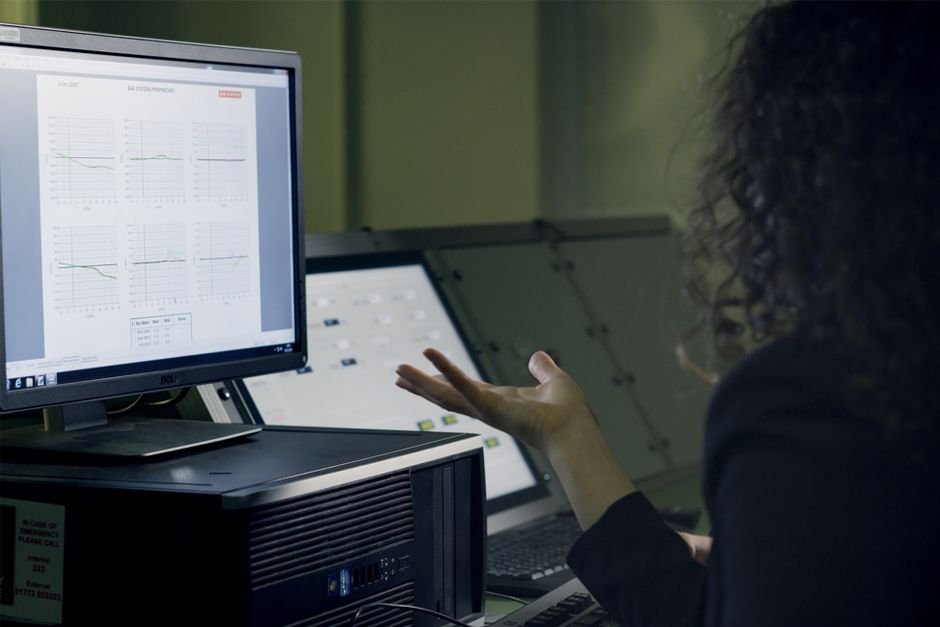
An AWR report is dozens of pages, and the temptation is to jump straight to the wait events. I read it in a fixed order, every time: load profile first, then top foreground events, then SQL ordered by elapsed time. The load profile tells me what kind of workload I am looking at, the events tell me what it waited on, and the SQL section tells me who caused it.
That order matters because a wait event without context misleads. "db file scattered read at 40% of DB Time" means one thing on a data warehouse doing deliberate full scans, and something entirely different on an OLTP order-entry system at 10 am. The load profile is the context; skipping it is how DBAs end up tuning the wrong thing.
5. Start at the Top: DB Time and Load Profile
Don't scroll to the wait events first. Read the header. DB Time is the total time sessions spent working plus waiting. Compare it to elapsed time: 60 minutes elapsed with 600 minutes of DB Time means an average of ten sessions were active every second — heavy concurrency.
DB Time is also your before-and-after yardstick. If DB Time for the same business workload drops from 600 minutes to 200 after your fix, you improved things; if it did not, you did not, whatever the parameters say.
The Load Profile tells you the shape of the workload — per second and per transaction:
- DB Time / sec — average active sessions; the single best "how busy" number.
- Logical & physical reads — is the work in memory or on disk?
- Hard parses / sec — high values scream "no bind variables".
- Redo size, commits, rollbacks — write intensity and transaction pattern.
I also compare the load profile against a known-good baseline from the same day of week. "Physical reads tripled versus last Monday" is a finding; "physical reads are 4,200/sec" on its own is just a number.
6. The Heart of It: Top Foreground Wait Events
This section ranks where DB Time actually went. The top two or three events are your problem — everything below is noise. Read them as a sentence: "the database spent most of its time waiting on ____." Then fix that.
Pay attention to the average wait time column as much as the total. A million single-block reads at 0.4 ms each is a healthy system on good flash storage; a hundred thousand at 15 ms each is a storage problem. Same event, opposite diagnosis.

7. Decoding the Big Wait Events, One by One
These are the events that top the list in real production systems. For each one: what it usually means, and what I check next.
db file sequential read
What it means: single-block reads from disk — almost always index access (index root/branch/leaf blocks, then table blocks by ROWID). Some amount is completely normal on any OLTP system.
What I check next: SQL ordered by Reads for the statement driving it, then its plan — the classic culprit is an index range scan feeding TABLE ACCESS BY INDEX ROWID across millions of rows, where a better index or a rewritten predicate would touch a fraction of the blocks. If the SQL is innocent, I check the average wait time: above ~10 ms consistently, and the conversation moves to the storage team. Only after that do I look at buffer cache sizing.
db file scattered read
What it means: multi-block reads into the buffer cache — full table scans and index fast full scans. Legitimate on reporting workloads; suspicious when it dominates an OLTP window.
What I check next: which SQL is scanning (SQL ordered by Gets and by Reads) and whether the scan is intentional. A plan that flipped from index access to full scan overnight usually means optimizer statistics changed — stale stats, a fresh gather with a skewed sample, or a histogram appearing where it should not. Fix the statistics, not the symptom.
direct path read
What it means: multi-block reads that bypass the buffer cache straight into the session's PGA. Parallel query does this by design; since 11g, serial sessions do it too when Oracle decides a segment is "large" relative to the cache.
What I check next: Segments by Direct Physical Reads to see which table, then whether that table quietly grew past the adaptive threshold — a query that ran fine for years starts hammering disk on every execution because its blocks no longer stay cached. The real fixes are the SQL, partition pruning, or accepting the scan and giving it bandwidth; the wrong fix is blindly caching a 200 GB table.
log file sync
What it means: sessions waiting on COMMIT for LGWR to flush redo to disk. This event stalls every committing session, so users feel it immediately.
What I check next: two numbers. Commits per second in the load profile — thousands per second means the application commits row by row inside a loop, and no storage on earth will save it. And the background event log file parallel write — if LGWR itself is slow (average above 2–3 ms), the redo logs sit on slow or contended storage. Application commit batching fixes the first; moving redo to the fastest, quietest storage you own fixes the second.
enq: TX — row lock contention
What it means: one session holds a row lock and others queue behind it. This is an application-design problem wearing a database costume — batch jobs colliding with online users, unindexed foreign keys, or a user who opened a form, locked a row, and went to lunch.
What I check next: ASH, immediately — blocking_session tells me exactly who held the lock and what SQL the victims were running. The full anatomy of these pile-ups, including the unindexed foreign-key trap and deadlock diagnosis, is in my guide to Oracle locking, blocking, and deadlocks.
gc buffer busy / gc cr block busy (RAC)
What it means: instances fighting over the same blocks across the interconnect. On RAC, a hot block is not just a latency problem — it ping-pongs between nodes and multiplies.
What I check next: interconnect health first (private network latency and lost blocks in the RAC statistics section), then the object — the classic offender is the right-hand edge of an index on a sequence-fed primary key, with every instance inserting into the same leaf block. Fixes range from reversing or hash-partitioning the index to routing the workload to one node via services. Diagnosing this on a live 19c RAC cluster is some of the most satisfying work I do.
The supporting cast
buffer busy waits — sessions contending for the same block in memory; usually hot blocks under concurrent DML. cursor: pin S wait on X / library cache lock — parsing contention, and the fix is almost always bind variables instead of literal SQL. DB CPU at the top — not a wait at all, and not automatically a problem; more on that in the false-leads section below.
8. Follow the Wait to the SQL
A wait event tells you the symptom; the SQL section names the culprit. Read SQL ordered by Elapsed Time and by Gets, grab the worst SQL_ID, and pull its plan:
SELECT * FROM TABLE(
  DBMS_XPLAN.DISPLAY_AWR('&sql_id'));

-- or the live plan from cursor cache
SELECT * FROM TABLE(
  DBMS_XPLAN.DISPLAY_CURSOR('&sql_id', NULL, 'ALLSTATS LAST'));
Now the story closes: high db file sequential read + a top SQL doing a huge INDEX RANGE SCAN into a TABLE ACCESS BY ROWID on millions of rows = the index or the query needs work.
9. ASH: The Last-Five-Minutes Fire Drill
When the phone rings during the problem, I do not generate any report. I query v$active_session_history directly — it holds roughly the last hour of second-by-second samples in memory. This is my actual fire-drill sequence, in order.
First: what is everyone waiting on right now?
SELECT NVL(event, 'ON CPU') AS activity, COUNT(*) AS samples
FROM   v$active_session_history
WHERE  sample_time > SYSDATE - 5/1440   -- last 5 minutes
GROUP  BY NVL(event, 'ON CPU')
ORDER  BY samples DESC FETCH FIRST 10 ROWS ONLY;
Second: which SQL is behind it?
SELECT sql_id, NVL(event, 'ON CPU') AS activity, COUNT(*) AS samples
FROM   v$active_session_history
WHERE  sample_time > SYSDATE - 5/1440
GROUP  BY sql_id, NVL(event, 'ON CPU')
ORDER  BY samples DESC FETCH FIRST 10 ROWS ONLY;
Third: is somebody blocking everybody?
SELECT blocking_session, event, COUNT(*) AS samples,
       COUNT(DISTINCT session_id) AS victims
FROM   v$active_session_history
WHERE  sample_time > SYSDATE - 5/1440
AND    blocking_session IS NOT NULL
GROUP  BY blocking_session, event
ORDER  BY samples DESC;
Each sample approximates one second of one active session, so the counts read directly as seconds of pain. Three queries, under two minutes, and I usually know whether I am looking at a lock pile-up, one runaway SQL, or a system-wide I/O stall — while AWR would have averaged the whole drama away.
For a spike that happened yesterday, the same queries run against dba_hist_active_sess_history — the persisted copy, sampled every ten seconds instead of every second. And for a historical window, ashrpt.sql wraps all of this into a formatted report.
10. Let ADDM Give You a Second Opinion
Oracle's Automatic Database Diagnostic Monitor reads the AWR data and writes findings in plain language — a useful sanity check, not a replacement for judgement:
@?/rdbms/admin/addmrpt.sqlTreat ADDM findings as leads to verify, not orders to follow blindly.

11. A War Story: The Monday-Morning Slowdown
A pharmaceutical client's ERP — one I had supported for years — turned to treacle one Monday at 9 am. Order entry that normally took two seconds took forty. The application team blamed the database; the infrastructure team blamed the application; nobody had evidence.
I pulled two AWR reports: Monday 09:00–10:00, and the same hour from the previous Monday as the baseline. The comparison told the story in three lines. DB Time had quadrupled. Physical reads were up eight-fold. And db file scattered read, barely visible the week before, was now 62% of DB Time.
SQL ordered by Reads put one statement at the top — a query inside the order-entry screen that had been running for years. DBMS_XPLAN.DISPLAY_AWR for its SQL_ID showed two plans in history: an index range scan up to Saturday, a full table scan from Sunday night onward.
Sunday night is when the default statistics-gathering window runs. A skewed column had picked up a new histogram, the optimizer re-costed the query, and the plan flipped — exactly the failure mode I dissect in the DBMS_STATS article. We restored the previous statistics for that table with DBMS_STATS.RESTORE_TABLE_STATS, the plan flipped back, and DB Time returned to baseline within minutes.
Total diagnosis time: about twenty-five minutes, most of it waiting for the reports to generate. No parameters were changed. That is what AWR buys you — the argument between teams ends, because the database itself testifies.
12. My 10-Minute AWR Triage Routine
This is the exact sequence I run on a fresh AWR report before forming any opinion. Ten minutes, in this order:
- Minute 1 — sanity-check the window. Does the snapshot pair actually bracket the complaint? No restart in between? If not, stop and regenerate.
- Minute 2 — DB Time vs elapsed. Divide DB Time by elapsed time for average active sessions. Compare against CPU count: well above it means real queuing.
- Minutes 3–4 — load profile, against a baseline. Reads, redo, commits, hard parses per second. What changed versus a good day?
- Minute 5 — top 5 foreground events. Write the sentence: "the database mostly waited on ____." Note average wait times, not just totals.
- Minutes 6–7 — SQL ordered by Elapsed Time, then by Gets and by Reads. Capture the top two or three SQL_IDs. One statement at 40%+ of DB Time is your answer.
- Minute 8 — pull the plan for the worst SQL_ID with DBMS_XPLAN.DISPLAY_AWR and look for plan changes across snapshots.
- Minute 9 — cross-check Segments statistics (by physical reads, by row lock waits) — the object view often confirms the SQL view.
- Minute 10 — write the one-line hypothesis and the single change that tests it. If I cannot write that line, I read ASH before touching anything.
13. False Leads That Waste Hours
Half of AWR skill is knowing which famous numbers to ignore.
- High CPU% is not automatically bad. A database doing useful work on CPU is what you paid for; DB CPU at the top of the events with happy users is a healthy system. It is a problem only when CPU demand exceeds capacity (run queue building, ON CPU dominating ASH while response times climb) — then find the SQL burning it, don't buy cores first.
- The buffer cache hit ratio is nearly useless. A 99.9% ratio can hide a query doing fifty million logical reads a minute — logical I/O burns CPU too. I have tuned systems from terrible to excellent without that ratio moving. Tune the SQL, not the ratio.
- Reports that are too wide — a 4-hour AWR averages the incident into invisibility. Regenerate tight before concluding anything.
- Changing many things at once — you'll never know which one helped (or hurt).
- Ignoring the application — row-lock contention and literal SQL are code problems, not parameter problems. No init.ora setting fixes a commit inside a loop.
- Tuning without a baseline — keep a "good day" AWR (or a formal baseline via DBMS_WORKLOAD_REPOSITORY) to compare against.
The Bottom Line
Performance tuning stops being guesswork the moment you trust the instrumentation. AWR and ASH don't hide the answer — they hand it to you, if you read them top-down: how busy, waiting on what, caused by which SQL. Resist the urge to change parameters from memory. Measure, form one hypothesis, change one thing, measure again. That discipline is the entire difference between a DBA who calms an incident and one who prolongs it.
If you have a recurring slowdown, a month-end spike, or an AWR report you'd like a second pair of eyes on, let's talk. I diagnose and tune production Oracle performance for banking, pharma, and ERP systems and can help you find the real bottleneck quickly.
Frequently Asked Questions
What is the difference between AWR and ASH in Oracle?
AWR (Automatic Workload Repository) gives an aggregated picture of database activity between two snapshots, typically an hour apart — ideal for trend and overall analysis. ASH (Active Session History) samples every active session once per second and is ideal for diagnosing short, transient spikes that an hourly AWR average would hide.
Do I need a license to use AWR and ASH?
Yes — AWR, ASH, and ADDM require the Oracle Diagnostics Pack, a paid option available only on Enterprise Edition. Check the control_management_pack_access parameter to see what your instance is set to use. Without the pack, Statspack is the free alternative: similar aggregate statistics, but no session sampling and no ADDM.
What snapshot interval and retention should I use for AWR?
The defaults are hourly snapshots kept for eight days. I usually keep hourly snapshots (or 30 minutes on volatile systems) but raise retention to 30 days via DBMS_WORKLOAD_REPOSITORY.MODIFY_SNAPSHOT_SETTINGS, so month-end and month-start incidents can still be compared against their previous occurrence.
What is DB Time in an AWR report?
DB Time is the total time all foreground sessions spent either working on CPU or waiting, summed across sessions. Divide it by elapsed time to get average active sessions — the single best "how busy was the database" number. It is also the yardstick for any fix: if DB Time for the same workload did not drop, the fix did not work.
What does the wait event 'db file sequential read' mean?
It is the time spent waiting for single-block reads from disk, almost always index access. High values usually point to physical I/O caused by missing or inefficient indexes, a small buffer cache, or a query reading far more blocks than necessary. It is normal in small amounts; it becomes a problem when it dominates DB time.
What is the single worst wait event to see in an AWR report?
There is no universally worst event — the worst one is whichever dominates DB Time on your system. That said, the ones that make me sit up fastest are enq: TX row lock contention (users are queuing behind each other, and it snowballs) and log file sync (every commit on the system is stalling). Both hurt everyone at once, not just one report.
How do you find the worst SQL in an AWR report?
Go to the SQL Statistics section and read 'SQL ordered by Elapsed Time' and 'SQL ordered by Gets'. The statements at the top consuming the largest share of DB time are your tuning targets. Capture the SQL_ID and pull its execution plan with DBMS_XPLAN to see where the time goes.
🔗 Database Running Slow?
AWR/ASH analysis, SQL tuning, and root-cause performance diagnosis. Free 30-minute consultation.

References & Further Reading
- 📄 Oracle Database Performance Tuning Guide (19c)
- 📄 Automatic Performance Diagnostics — AWR & ADDM
- 📄 V$ACTIVE_SESSION_HISTORY Reference
This guide is based on hands-on Oracle performance troubleshooting across banking, pharma, and ERP systems and Oracle's official documentation.