Healthcare ERP System Design: Hospital, Clinic & Diagnostic Center Database Architecture
A hospital that cannot find a patient's record when they arrive at emergency. A diagnostic center that loses a pathology report between the lab machine and the doctor's screen. A clinic billing system that charges the wrong patient for the wrong procedure. These are not hypothetical — they happen every day in healthcare organizations that are running on fragmented, poorly designed, or outdated systems. Healthcare ERP is different from manufacturing or retail ERP in one critical way: errors affect people's health and lives, not just business metrics. This guide covers the complete architecture for healthcare ERP design — from the database schema principles to module integration, patient data security, and AI-powered clinical reporting.
Key Takeaways
- Healthcare ERP errors affect patients, not just profit — the database must enforce safety rules (allergy checks, immutable clinical records) as hard constraints, not application suggestions.
- Everything hangs off one Patient Master Index with a permanent MRN; duplicate patient records are the most common and hardest-to-fix failure in hospital IT.
- Finalized clinical records — prescriptions, lab results, consultation notes — are never updated or deleted; amendments are new records that supersede the old.
- Role-based access must be granular: billing staff see charges but never diagnoses; every clinical action lands in an audit trail.
- Interface lab analyzers directly (HL7/staging tables) — manual result entry is where transcription errors and delays come from.
- Go live in phases — patient master and OPD first, clinical modules next, analytics and integration last. A big-bang hospital go-live is a patient-safety gamble.

1. Why Healthcare ERP Is Different
Healthcare organizations have unique system requirements that standard commercial ERP products often address poorly:
- Patient identity management: One patient, possibly many visits over years — the system must link all encounters to the correct individual without duplicates or merges
- Clinical data complexity: Diagnoses, prescriptions, lab results, vital signs, imaging reports — unstructured and structured data mixed, with strict integrity requirements
- Real-time availability: A doctor waiting for lab results cannot wait for a slow database query. A patient arriving at emergency needs their medical history instantly
- Regulatory compliance: Patient data privacy, prescription records, and controlled substance dispensing are all regulated — in Bangladesh under DGDA and Ministry of Health guidelines
- Multi-department integration: OPD, IPD, pharmacy, laboratory, radiology, billing, and administration must all work from a single patient record in real time
- 24/7 operation: Hospitals never close — the system must be available around the clock with planned maintenance possible only in defined low-activity windows
2. Core ERP Modules for Healthcare
A complete healthcare ERP system covers eight functional modules. Each module has its own data requirements but must share a unified patient master record.
2.1 Patient Registration and Master Index (EMR Core)
The Patient Master Index (PMI) is the foundation of the entire system. Every other module references it.
-- Patient Master table — foundation of healthcare ERP
CREATE TABLE patients (
  patient_id       NUMBER GENERATED ALWAYS AS IDENTITY PRIMARY KEY,
  patient_mrn      VARCHAR2(20) UNIQUE NOT NULL,  -- Medical Record Number
  full_name        VARCHAR2(200) NOT NULL,
  date_of_birth    DATE NOT NULL,
  gender           CHAR(1) CHECK (gender IN ('M','F','O')),
  blood_group      VARCHAR2(5),
  national_id      VARCHAR2(20),
  mobile           VARCHAR2(20),
  emergency_contact VARCHAR2(200),
  address          VARCHAR2(500),
  allergies        CLOB,                  -- Free text, critical for pharmacy
  chronic_conditions VARCHAR2(1000),
  registration_date DATE DEFAULT SYSDATE,
  active_flag      CHAR(1) DEFAULT 'Y',
  created_by       VARCHAR2(50) NOT NULL,
  created_at       TIMESTAMP DEFAULT SYSTIMESTAMP,
  CONSTRAINT chk_mrn CHECK (REGEXP_LIKE(patient_mrn,'^[A-Z]{2}[0-9]{8}$'))
);
Key design decisions for the patient master:
- Medical Record Number (MRN): A unique, permanent identifier for each patient — never reused, never reassigned. Format should encode the registration location and date
- Allergy recording: Must be mandatory at registration — a NULL allergy field is not the same as "no known allergies." The system must distinguish between "no allergies recorded" and "no known allergies"
- Duplicate prevention: Implement matching logic on name + DOB + address to prevent duplicate patient records before they are created
2.2 Outpatient Department (OPD)
-- OPD visit and consultation structure
CREATE TABLE opd_visits (
  visit_id        NUMBER GENERATED ALWAYS AS IDENTITY PRIMARY KEY,
  patient_id      NUMBER NOT NULL REFERENCES patients(patient_id),
  visit_date      DATE NOT NULL,
  visit_time      TIMESTAMP NOT NULL,
  department_id   NUMBER NOT NULL REFERENCES departments(department_id),
  doctor_id       NUMBER NOT NULL REFERENCES doctors(doctor_id),
  visit_type      VARCHAR2(20) CHECK (visit_type IN ('NEW','FOLLOWUP','EMERGENCY')),
  chief_complaint VARCHAR2(1000),
  visit_status    VARCHAR2(20) DEFAULT 'WAITING',
  queue_number    NUMBER,
  token_time      TIMESTAMP,
  seen_time       TIMESTAMP,
  created_by      VARCHAR2(50) NOT NULL
);

-- Doctor's consultation/prescription
CREATE TABLE consultations (
  consultation_id NUMBER GENERATED ALWAYS AS IDENTITY PRIMARY KEY,
  visit_id        NUMBER NOT NULL REFERENCES opd_visits(visit_id),
  presenting_complaints CLOB,
  examination_findings  CLOB,
  diagnosis       VARCHAR2(2000),
  icd10_code      VARCHAR2(20),     -- International disease classification
  advice          CLOB,
  followup_date   DATE,
  referred_to     VARCHAR2(200),
  created_by      VARCHAR2(50) NOT NULL,
  created_at      TIMESTAMP DEFAULT SYSTIMESTAMP
);
2.3 Inpatient Department (IPD)
-- Inpatient admission and ward management
CREATE TABLE admissions (
  admission_id    NUMBER GENERATED ALWAYS AS IDENTITY PRIMARY KEY,
  patient_id      NUMBER NOT NULL REFERENCES patients(patient_id),
  admission_date  TIMESTAMP NOT NULL,
  admission_type  VARCHAR2(20) CHECK (admission_type IN
                  ('PLANNED','EMERGENCY','TRANSFER')),
  admitting_doctor NUMBER NOT NULL REFERENCES doctors(doctor_id),
  ward_id         NUMBER NOT NULL REFERENCES wards(ward_id),
  bed_id          NUMBER NOT NULL REFERENCES beds(bed_id),
  diagnosis_on_admission VARCHAR2(1000),
  discharge_date  TIMESTAMP,
  discharge_type  VARCHAR2(30),
  discharge_summary CLOB,
  total_days      NUMBER GENERATED ALWAYS AS
                  (ROUND(SYSDATE - CAST(admission_date AS DATE))) VIRTUAL,
  status          VARCHAR2(20) DEFAULT 'ADMITTED'
);

-- Bed management — real-time occupancy
CREATE TABLE beds (
  bed_id          NUMBER GENERATED ALWAYS AS IDENTITY PRIMARY KEY,
  ward_id         NUMBER NOT NULL REFERENCES wards(ward_id),
  bed_number      VARCHAR2(10) NOT NULL,
  bed_type        VARCHAR2(30),    -- GENERAL, PRIVATE, ICU, HDU, CABIN
  daily_rate      NUMBER(10,2),
  status          VARCHAR2(20) DEFAULT 'AVAILABLE',
  current_patient NUMBER REFERENCES patients(patient_id),
  CONSTRAINT uq_bed UNIQUE (ward_id, bed_number)
);
2.4 Pharmacy Module
Pharmacy is the highest-risk module in healthcare ERP. Wrong drug, wrong dose, wrong patient — each is a patient safety incident. The database design must enforce hard constraints:
-- Prescription with mandatory allergy cross-check
CREATE TABLE prescriptions (
  prescription_id NUMBER GENERATED ALWAYS AS IDENTITY PRIMARY KEY,
  visit_id        NUMBER REFERENCES opd_visits(visit_id),
  admission_id    NUMBER REFERENCES admissions(admission_id),
  patient_id      NUMBER NOT NULL REFERENCES patients(patient_id),
  prescribing_doctor NUMBER NOT NULL REFERENCES doctors(doctor_id),
  prescribed_at   TIMESTAMP DEFAULT SYSTIMESTAMP,
  CONSTRAINT chk_pres_source CHECK (
    (visit_id IS NOT NULL AND admission_id IS NULL) OR
    (visit_id IS NULL AND admission_id IS NOT NULL)
  )
);

CREATE TABLE prescription_lines (
  line_id         NUMBER GENERATED ALWAYS AS IDENTITY PRIMARY KEY,
  prescription_id NUMBER NOT NULL REFERENCES prescriptions(prescription_id),
  drug_id         NUMBER NOT NULL REFERENCES drugs(drug_id),
  dose            VARCHAR2(50) NOT NULL,
  frequency       VARCHAR2(50) NOT NULL,  -- BD, TDS, QID, OD, SOS
  duration_days   NUMBER NOT NULL,
  route           VARCHAR2(30),           -- ORAL, IV, IM, SC, TOPICAL
  instructions    VARCHAR2(500),
  allergy_checked CHAR(1) DEFAULT 'N',    -- Must be Y before dispensing
  dispensed_flag  CHAR(1) DEFAULT 'N'
);

-- Drug dispensing — double verification for high-risk drugs
CREATE TABLE drug_dispensing (
  dispensing_id   NUMBER GENERATED ALWAYS AS IDENTITY PRIMARY KEY,
  line_id         NUMBER NOT NULL REFERENCES prescription_lines(line_id),
  dispensed_by    VARCHAR2(50) NOT NULL,
  verified_by     VARCHAR2(50),           -- Required for controlled substances
  dispensed_at    TIMESTAMP DEFAULT SYSTIMESTAMP,
  quantity        NUMBER NOT NULL,
  batch_number    VARCHAR2(50),
  expiry_date     DATE
);
2.5 Laboratory Module
-- Lab test ordering and results
CREATE TABLE lab_orders (
  order_id        NUMBER GENERATED ALWAYS AS IDENTITY PRIMARY KEY,
  patient_id      NUMBER NOT NULL REFERENCES patients(patient_id),
  ordered_by      NUMBER NOT NULL REFERENCES doctors(doctor_id),
  order_date      TIMESTAMP DEFAULT SYSTIMESTAMP,
  priority        VARCHAR2(10) DEFAULT 'ROUTINE'
                  CHECK (priority IN ('STAT','URGENT','ROUTINE')),
  sample_collected TIMESTAMP,
  sample_type     VARCHAR2(50),
  status          VARCHAR2(20) DEFAULT 'PENDING'
);

CREATE TABLE lab_order_tests (
  order_test_id   NUMBER GENERATED ALWAYS AS IDENTITY PRIMARY KEY,
  order_id        NUMBER NOT NULL REFERENCES lab_orders(order_id),
  test_id         NUMBER NOT NULL REFERENCES lab_tests(test_id),
  result_value    VARCHAR2(500),
  result_unit     VARCHAR2(50),
  reference_range VARCHAR2(100),
  result_flag     VARCHAR2(10),       -- HIGH, LOW, CRITICAL, NORMAL
  resulted_by     VARCHAR2(50),
  resulted_at     TIMESTAMP,
  verified_by     VARCHAR2(50),       -- Pathologist verification
  verified_at     TIMESTAMP,
  report_text     CLOB,               -- Narrative pathology report
  critical_notified CHAR(1) DEFAULT 'N' -- Critical values must be notified
);
2.6 Billing and Revenue Cycle
-- Patient billing — unified across OPD, IPD, pharmacy, lab
CREATE TABLE patient_bills (
  bill_id         NUMBER GENERATED ALWAYS AS IDENTITY PRIMARY KEY,
  patient_id      NUMBER NOT NULL REFERENCES patients(patient_id),
  visit_id        NUMBER REFERENCES opd_visits(visit_id),
  admission_id    NUMBER REFERENCES admissions(admission_id),
  bill_date       DATE DEFAULT TRUNC(SYSDATE),
  bill_type       VARCHAR2(20),    -- OPD, IPD, LAB, PHARMACY, RADIOLOGY
  subtotal        NUMBER(12,2) NOT NULL,
  discount_pct    NUMBER(5,2) DEFAULT 0,
  discount_amount NUMBER(12,2) DEFAULT 0,
  tax_amount      NUMBER(12,2) DEFAULT 0,
  total_amount    NUMBER(12,2) NOT NULL,
  paid_amount     NUMBER(12,2) DEFAULT 0,
  balance         NUMBER(12,2) GENERATED ALWAYS AS
                  (total_amount - paid_amount) VIRTUAL,
  payment_status  VARCHAR2(20) DEFAULT 'UNPAID',
  insurance_id    NUMBER REFERENCES insurance_providers(insurance_id),
  created_by      VARCHAR2(50) NOT NULL
);

CREATE TABLE bill_line_items (
  item_id         NUMBER GENERATED ALWAYS AS IDENTITY PRIMARY KEY,
  bill_id         NUMBER NOT NULL REFERENCES patient_bills(bill_id),
  service_code    VARCHAR2(20) NOT NULL,
  service_name    VARCHAR2(200) NOT NULL,
  quantity        NUMBER DEFAULT 1,
  unit_price      NUMBER(10,2) NOT NULL,
  line_total      NUMBER(12,2) GENERATED ALWAYS AS (quantity * unit_price) VIRTUAL,
  source_type     VARCHAR2(20),    -- CONSULTATION, LAB, PHARMACY, BED, PROCEDURE
  source_id       NUMBER           -- FK to source record
);
3. Database Architecture Principles for Healthcare ERP
3.1 Single Patient Master — No Duplication
Every module — OPD, IPD, pharmacy, lab, billing — must reference the same patient master record. Never allow a module to maintain its own patient table. Duplicate patient records are the most common data quality problem in healthcare IT and the hardest to fix retroactively.
3.2 Immutable Clinical Records
Clinical records — prescriptions, lab results, consultation notes — must never be physically deleted or modified after they are finalized. Amendments must be additive: a new record superseding the old one, with the original preserved. This is both a patient safety requirement and a regulatory obligation.
-- Enforce immutability on finalized clinical records using triggers
CREATE OR REPLACE TRIGGER trg_protect_finalized_results
BEFORE UPDATE OR DELETE ON lab_order_tests
FOR EACH ROW
BEGIN
  IF :OLD.verified_at IS NOT NULL THEN
    RAISE_APPLICATION_ERROR(-20001,
      'Verified lab results cannot be modified or deleted. Create an amendment record.');
  END IF;
END;
/
3.3 Audit Trail — Every Clinical Action Logged
-- Generic audit trail for all clinical tables
CREATE TABLE clinical_audit_log (
  audit_id        NUMBER GENERATED ALWAYS AS IDENTITY PRIMARY KEY,
  table_name      VARCHAR2(50) NOT NULL,
  record_id       NUMBER NOT NULL,
  action          VARCHAR2(10) NOT NULL,  -- INSERT, UPDATE, DELETE
  changed_by      VARCHAR2(50) NOT NULL,
  changed_at      TIMESTAMP DEFAULT SYSTIMESTAMP,
  old_values      CLOB,   -- JSON representation of previous values
  new_values      CLOB,   -- JSON representation of new values
  session_info    VARCHAR2(200)   -- IP, terminal, application
) ORGANIZATION HEAP
  TABLESPACE audit_data;  -- Separate tablespace, restricted access
3.4 Reference Data Management
Healthcare systems have extensive reference data — ICD-10 diagnosis codes, drug formulary, lab test catalog, fee schedule. These must be version-controlled: when a drug price changes or a fee schedule is updated, historical bills must still reflect the rates that were in effect at the time of service.
-- Version-controlled fee schedule
CREATE TABLE fee_schedules (
  fee_id          NUMBER GENERATED ALWAYS AS IDENTITY PRIMARY KEY,
  service_code    VARCHAR2(20) NOT NULL,
  service_name    VARCHAR2(200) NOT NULL,
  category        VARCHAR2(50),
  price           NUMBER(10,2) NOT NULL,
  effective_from  DATE NOT NULL,
  effective_to    DATE,
  CONSTRAINT uq_fee_date UNIQUE (service_code, effective_from)
);

-- Always look up historical price at time of service
SELECT service_name, price
FROM fee_schedules
WHERE service_code = :service_code
  AND effective_from <= :service_date
  AND (effective_to IS NULL OR effective_to >= :service_date);
4. Patient Data Security
Patient health information is among the most sensitive personal data. The database must enforce strict access controls at multiple levels.
4.1 Role-Based Access Control
-- Healthcare roles with appropriate data access
CREATE ROLE doctor_role;
CREATE ROLE nurse_role;
CREATE ROLE lab_technician_role;
CREATE ROLE billing_staff_role;
CREATE ROLE pharmacy_role;
CREATE ROLE admin_role;

-- Doctors: full clinical read, own-patient write
GRANT SELECT ON patients TO doctor_role;
GRANT SELECT, INSERT ON consultations TO doctor_role;
GRANT SELECT, INSERT ON prescriptions TO doctor_role;
GRANT SELECT ON lab_order_tests TO doctor_role;

-- Billing staff: no clinical data, billing only
GRANT SELECT ON patients TO billing_staff_role;
GRANT SELECT, INSERT, UPDATE ON patient_bills TO billing_staff_role;
GRANT SELECT, INSERT ON bill_line_items TO billing_staff_role;
-- Billing cannot see prescriptions, lab results, diagnoses
4.2 Column-Level Masking for Sensitive Data
-- Mask sensitive patient information from non-clinical staff
-- Billing staff sees patient name but not diagnosis or prescriptions
CREATE OR REPLACE VIEW billing_patient_view AS
SELECT patient_id, patient_mrn, full_name,
       mobile, address,
       -- Sensitive clinical data hidden from billing view
       '***' AS allergies,
       '***' AS chronic_conditions
FROM patients;

GRANT SELECT ON billing_patient_view TO billing_staff_role;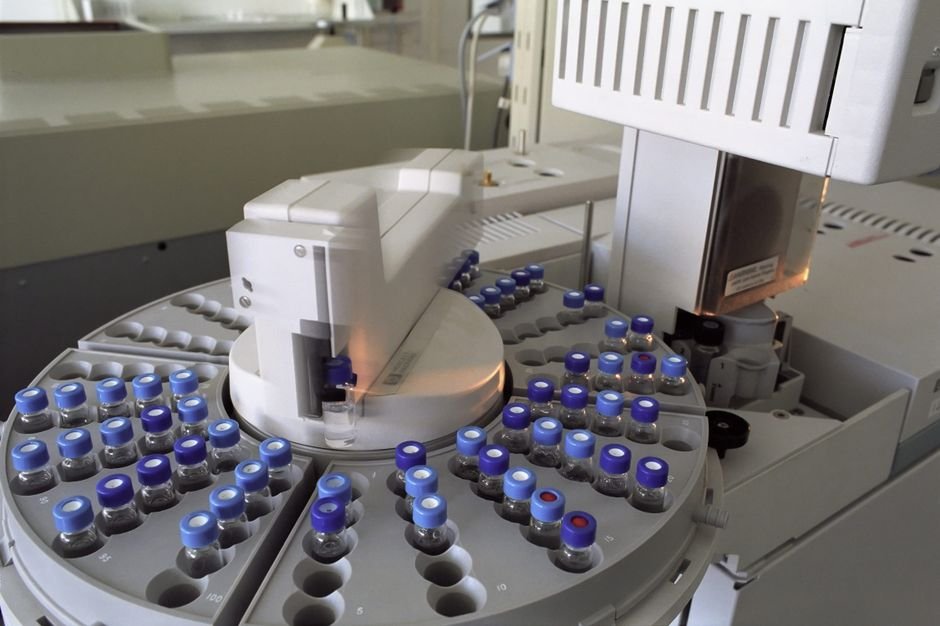
5. Laboratory Integration
Modern diagnostic centers interface laboratory analyzers directly with the ERP using HL7 or proprietary protocols. When a blood analyzer completes a CBC test, the results flow directly into the lab module without manual entry — eliminating transcription errors.
-- Interface staging table for analyzer result feeds
CREATE TABLE lab_interface_staging (
  staging_id      NUMBER GENERATED ALWAYS AS IDENTITY PRIMARY KEY,
  analyzer_id     VARCHAR2(50) NOT NULL,
  raw_message     CLOB NOT NULL,       -- Raw HL7 or CSV from analyzer
  patient_id_ext  VARCHAR2(50),        -- Patient ID from analyzer (may differ)
  test_code       VARCHAR2(50),
  result_value    VARCHAR2(200),
  result_unit     VARCHAR2(50),
  received_at     TIMESTAMP DEFAULT SYSTIMESTAMP,
  processed_flag  CHAR(1) DEFAULT 'N',
  matched_order   NUMBER REFERENCES lab_order_tests(order_test_id),
  error_message   VARCHAR2(500)
);

-- Automated matching procedure (runs every 2 minutes)
CREATE OR REPLACE PROCEDURE process_analyzer_results AS
BEGIN
  FOR rec IN (
    SELECT * FROM lab_interface_staging
    WHERE processed_flag = 'N'
    ORDER BY received_at
  ) LOOP
    -- Match to pending lab order by barcode/test code
    -- Update result if match found
    -- Flag for manual review if no match
    NULL; -- implementation specific to analyzer protocol
  END LOOP;
END;
/
6. Reporting and Management Analytics
Healthcare management needs both operational reports (today's OPD count, bed occupancy, revenue) and clinical analytics (disease patterns, drug consumption, lab turnaround time).
6.1 Key Operational Reports
-- Daily dashboard queries

-- 1. Today's OPD volume by department
SELECT d.department_name,
       COUNT(*) AS total_visits,
       SUM(CASE WHEN v.visit_status = 'COMPLETED' THEN 1 ELSE 0 END) AS completed,
       SUM(CASE WHEN v.visit_status = 'WAITING' THEN 1 ELSE 0 END) AS waiting,
       ROUND(AVG(EXTRACT(MINUTE FROM (v.seen_time - v.token_time))),0) AS avg_wait_min
FROM opd_visits v
JOIN departments d ON v.department_id = d.department_id
WHERE TRUNC(v.visit_date) = TRUNC(SYSDATE)
GROUP BY d.department_name
ORDER BY total_visits DESC;

-- 2. Real-time bed occupancy
SELECT w.ward_name, w.total_beds,
       SUM(CASE WHEN b.status = 'OCCUPIED' THEN 1 ELSE 0 END) AS occupied,
       SUM(CASE WHEN b.status = 'AVAILABLE' THEN 1 ELSE 0 END) AS available,
       ROUND(SUM(CASE WHEN b.status = 'OCCUPIED' THEN 1 ELSE 0 END)/w.total_beds*100,1) AS occupancy_pct
FROM wards w
JOIN beds b ON w.ward_id = b.ward_id
GROUP BY w.ward_name, w.total_beds
ORDER BY occupancy_pct DESC;

-- 3. Revenue summary today
SELECT bill_type,
       COUNT(*) AS bill_count,
       SUM(total_amount) AS gross_revenue,
       SUM(paid_amount) AS collected,
       SUM(balance) AS outstanding
FROM patient_bills
WHERE bill_date = TRUNC(SYSDATE)
GROUP BY bill_type
ORDER BY gross_revenue DESC;
7. Oracle 26ai for Clinical Decision Support
Oracle 26ai's vector search and in-database AI features open powerful new possibilities for healthcare ERP — while keeping sensitive patient data inside the hospital's own servers.
7.1 AI-Powered Drug Interaction Checking
When a doctor prescribes a new drug, the system can use vector search to find semantically similar drug combinations from the interaction knowledge base — flagging potential interactions even when the exact drug pair is not in the rule table.
-- Drug interaction knowledge base with vector embeddings
CREATE TABLE drug_interaction_kb (
  kb_id           NUMBER GENERATED ALWAYS AS IDENTITY PRIMARY KEY,
  drug_combo      VARCHAR2(500),
  interaction_text VARCHAR2(2000),
  severity        VARCHAR2(20),
  interaction_vec VECTOR(512, FLOAT32)
);

-- Find similar drug interactions using vector similarity
SELECT di.drug_combo, di.severity, di.interaction_text,
       VECTOR_DISTANCE(di.interaction_vec, :query_vec, COSINE) AS similarity
FROM drug_interaction_kb di
WHERE VECTOR_DISTANCE(di.interaction_vec, :query_vec, COSINE) < 0.25
ORDER BY similarity ASC
FETCH FIRST 5 ROWS ONLY;
7.2 Clinical Query in Plain Language
Using Oracle 26ai Select AI, doctors and administrators can ask questions about the patient database in plain language:
- "How many patients were admitted with dengue fever this month?"
- "Which doctor has the highest OPD patient count this week?"
- "What is the average lab turnaround time for CBC tests?"
- "Which wards have been above 90% occupancy for more than 3 days?"
All queries run inside Oracle, returning answers from real hospital data with the user's access permissions automatically applied.
8. Implementation Approach
A healthcare ERP implementation cannot be a big-bang go-live. The stakes are too high. Before any module goes live, I follow the same sequence on every project:
- Nail the requirement first. Walk the actual patient journey — registration desk, OPD queue, lab, pharmacy, discharge — and document how work really happens before designing anything.
- Design the database before the screens. Patient master, clinical tables, constraints, and audit structure are decided and reviewed before a single form is built.
- Migrate and clean legacy patient data. Deduplicate existing registers into the new MRN system — going live on top of duplicate records poisons the system from day one.
- Pilot one department in parallel. Run the new system alongside the old process for two to four weeks and reconcile daily until the numbers match.
- Go live in phases, never all at once — foundation, then clinical modules, then analytics and integration, as laid out below.
Phase 1 — Foundation (Months 1–2)
- Patient Master Index setup with duplicate prevention
- OPD registration and queue management
- Doctor consultation and basic prescription
- User roles and access control configuration
- Data migration from existing patient registers
Phase 2 — Clinical Modules (Months 3–4)
- Laboratory module with test catalog
- Pharmacy with drug formulary and dispensing workflow
- IPD admission, ward management, and bed tracking
- Radiology order management
- Basic billing and payment collection
Phase 3 — Analytics and Integration (Months 5–6)
- Management dashboards and operational reports
- Analyzer interface for lab equipment (HL7 integration)
- Insurance and third-party billing
- Oracle 26ai AI features for clinical decision support
- Mobile access for doctors (ward round support)
9. Common Healthcare ERP Failures in Bangladesh
Having worked on hospital and clinic systems across Bangladesh, these are the most frequent design and implementation errors I encounter:
- Duplicate patient records: No MRN system, patients registered multiple times across departments — billing for wrong patient, clinical history split across duplicates
- Paper-based pharmacy despite ERP: ERP pharmacy module too slow or complex — staff bypass it, prescriptions dispensed without system record, no stock control
- Lab results on paper printouts: Analyzers not integrated — lab techs type results manually, transcription errors common, results delayed
- No billing reconciliation: Patients discharged without complete billing review — services rendered but not billed, revenue leakage
- Single server, no backup: Hospital ERP on one server with no backup — power failure or hardware fault causes data loss and operational halt
- No access controls: All staff use the same login — no audit trail, no accountability, patient data accessible to everyone
- Allergy field skipped at registration: Pharmacist cannot check for drug allergies — patient safety risk
Frequently Asked Questions
Should a hospital build a custom ERP or buy a packaged one?
For most hospitals and clinics, buy or adapt — but only after verifying the package enforces a single patient master, immutable clinical records, and granular role-based access. Custom builds make sense when workflows are genuinely unusual or when local packages fail those tests. Either way, insist on owning the database design review; the vendor's schema is what you will live with for a decade.
Which modules should go live first?
Patient registration with the Master Index, then OPD with consultation and basic prescription. These establish the patient identity foundation every other module depends on. Lab, pharmacy, IPD, and billing follow once registration is stable — putting billing or pharmacy first on a shaky patient master multiplies duplicate-record problems.
How should patient-data privacy be handled in the database?
Enforce it in the database itself, not just the application: role-based grants so billing staff never see diagnoses, column masking or restricted views for sensitive fields, a tamper-evident audit trail on every clinical table, and individual logins for every user. Local health-data rules generally expect exactly this — access limited to what each role needs, with accountability for every read and write.
Does a hospital ERP need offline capability?
Critical registration and billing functions should survive short network or server outages, because the hospital cannot stop admitting patients. In practice this means a high-availability database setup, a documented manual fallback procedure with rapid re-entry, and for multi-site diagnostic chains, local caching at collection points. Full offline operation of clinical modules is rarely worth the synchronisation complexity.
How do lab machines integrate with the ERP?
Analyzers send results over HL7 or vendor protocols into an interface staging table, where an automated matcher links each result to its pending order by barcode and test code. Matched results flow to the pathologist verification queue; unmatched ones are flagged for manual review. This removes manual transcription — the single biggest source of lab result errors and delays.
How long does a healthcare ERP implementation take?
For a mid-size hospital, plan roughly six months across three phases: foundation (patient master, OPD) in months one to two, clinical modules (lab, pharmacy, IPD, billing) in months three to four, then analytics and analyzer integration in months five to six. Data cleaning of legacy patient registers is usually what stretches timelines, so start it early.
🏥 Building a Hospital or Clinic ERP System?
I design and implement healthcare ERP database architectures for hospitals, clinics, and diagnostic centers in Bangladesh — from patient master design to lab integration, billing, and Oracle 26ai clinical analytics. Your patient data stays on your own servers.
The Bottom Line
Healthcare ERP is the most complex and most consequential category of enterprise software. When it works well, it protects patient safety, eliminates revenue leakage, gives clinicians the information they need when they need it, and gives administrators the visibility to run the organization efficiently. When it fails — through poor design, inadequate data quality, or insufficient access controls — the consequences range from financial loss to patient harm.
The organizations I have worked with that invested in proper database design from the beginning — starting with a solid patient master, immutable clinical records, role-based access, and integrated modules — operate with confidence. Their doctors trust the data. Their audits are clean. Their billing is accurate. Their lab results reach the right doctor at the right time.
If you are building a new healthcare system, starting a clinic or diagnostic center, or replacing a fragmented legacy system in a hospital — get the database architecture right from the start. It is far cheaper to design it correctly the first time than to correct a poorly designed system after years of patient data have accumulated in it.

References & Further Reading
- 📄 HL7 FHIR — Fast Healthcare Interoperability Resources Standard
- 📄 WHO ICD-10 — International Classification of Diseases (10th Revision)
- 📄 Oracle Virtual Private Database (VPD) — Row-Level Security for Healthcare Data
- 📄 Bangladesh Ministry of Health and Family Welfare — Official Guidelines
- 📄 Oracle AI Vector Search — Clinical Decision Support Applications
This article is based on direct experience designing and implementing hospital, clinic, and diagnostic centre ERP systems in Bangladesh, using Oracle Database as the backend platform.